Wednesday, June 12, 2013

3DLES partner in European TILA project

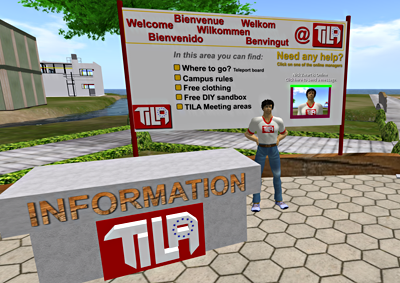
TILA welcome area in OpenSim
This year 3DLES teamed up as a technical and educational partner in the European TILA project. This project aims to improve the quality of foreign language teaching and learning processes by means of meaningful telecollaboration among peers: that is the aim of the European project Telecollaboration for Intercultural Language Acquisition (TILA). The project is funded by the European Commission within the Lifelong Learning Programme and will run from January 2013 to 2015.

What does 3DLES do? 
3DLES takes care of the technical department. Installing and running OpenSim on a dedicated server, the website and Moodle, Big Blue Button teleconferencing software, etc. But we also build and script new tools and regions in OpenSim and take care of educating teachers to work with these environments.

TILA project Objectives
The TILA project seeks:
  1. to innovate and enrich language teaching programmes at secondary schools and make them more motivating and effective by stimulating telecollaboration for intercultural awareness with peers of other cultures;
     
  2. to empower language teachers and teacher trainers and contribute to the development of their ICT literacy skills and organisational, pedagogical and intercultural competences for telecollaboration, by promoting experiential learning in telecollaboration tasks development, implementation and evaluation;
     
  3. to study the possible added value telecollaboration might have in language learning for intercultural understanding of younger learners.
More information about this project can be found at tilaproject.eu 

Wednesday, October 3, 2012

MetaMeets 2012

Last year I visited MetaMeets 2011 in Amsterdam and was impressed by all the OpenSim knowledge that was walking around in real life there. Great presentations and a real Amsterdam ambience.

This year MetaMeets 2012 was held in 's Hertogenbosch (the Dutch just say Den Bosch) on Friday November 30th and Saturday 1st December. The theme is: “The Art of Creation : Virtuality meets Reality” 

On Friday I spoke there about how we have used OpenSim so far to create and run virtual language villages for K12+ and how OpenSim is a great addition for educators world wide.
Other speakers on this 'Open Source Worlds' topic were: Maria Korolov of Hypergrid Business (www.hypergridbusiness.com), Justin Clark-Casey, a core developer of OpenSim (justincc.org) and Jan Northof of YOUin3D (www.youin3d.com).


Watch the  recorded livestream of Justin CC and Nick Zwart

Tuesday, August 21, 2012

Interactive Flash on one prim for v1 and v3 viewers.

Programming in OpenSim can be a struggle, but every once in a while I find some simple solution that really helps. 

We are 'between' times with still lots of educational institutes using a v1 viewer like Imprudence but others allready made the step to a v3 viewer. We have to find ways to show them both the content without having two separate objects showing the same.
In a previous post ( Flash and streaming video on a prim) I allready wrote about the use of Flash interactively on a prim in Imprudence 1.4.0 beta 2. Most schools use this viewer and it works great. having the URL of the parcel set to the flash file that I want them to interact with in-world.

Spanish pronunciation keyboard
But what about the new v3 viewers?
I recently created a keyboard with pronunciations of the Spanish alphabet which I wanted to use for the Imprudence viewer but also for the v3 viewer (Firestorm) that we use in a pilot at the university of Alcalá de Henares in Spain.
So by setting the parcel media to the URL of the flash file gave me the possibility to press the buttons of the Flash keyboard in-world and hear the pronunciation of the letters. The only problem was that in my Firestorm viewer the Flash file shows but I could not press any button.

How can I have both working?
Prim media settings
The solution was quite simple, the settings for Imprudence were fine, so I did not change anything there. So I used the Firestorm viewer to set the extra prim media settings of the prim face where the keyboard was set on, to the same URL.

It works!
So what happens? When I log in with my Imprudence viewer the extra settings of the prim media will not be seen, it will see the settings of the parcel media and show the page on the prim, and I can interact with it.
When I log in with my Firestorm the same happens, the webpage appears but is not interactive, but because of the settings I made for the prim media, after one easy click it will change from parcel url to the prim url, which is interactive again. The problem is solved.